

Register
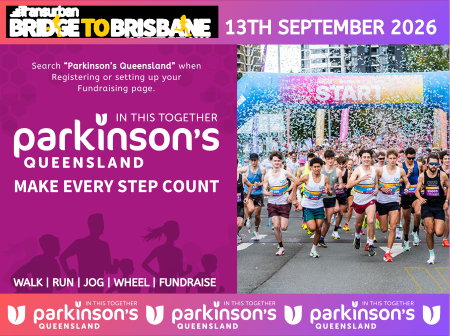
Join Queensland’s biggest fun run on Sunday, 13 September 2026 and make every step count for Queenslanders living with Parkinson’s.
When registering for Bridge to Brisbane, you can choose to support Parkinson’s Queensland as your charity partner and help raise vital funds and awareness for people impacted by Parkinson’s.

Fundraise
Already entered Bridge to Brisbane? You can still create a fundraising page and support Parkinson’s Queensland.
Please note: creating a fundraising page does not include your event ticket. You must first register for the event through the official Bridge to Brisbane registration process.

How to Register for Bridge to Brisbane and Support Parkinson’s Queensland
Step 1 – Register for Bridge to Brisbane
Visit the official Bridge to Brisbane registration page and click Register. Click Here
Step 2 – Create an Account
Create a new account or log in if you already have one.
Step 3 – Select Your Race
Choose your preferred race distance:
-
10km
-
Wheelchair 10km
-
5km
Then click Enter.
Step 4 – Complete Your Details
Enter your:
-
Personal details
-
Address
-
Emergency contact information
-
Nationality
Step 5 – Race Entry Information
Complete the race entry section including:
-
Team entry (optional)
-
Goal finish time
-
Race number name
-
Your story (optional)
Step 6 – Event Preferences
Select your:
-
Event T-shirt size
-
Competitor history
-
App listing preferences
-
Pram information (if applicable)
Step 7 – Select Your Charity
When you reach the Select Charity page:
-
Search for Parkinson’s Queensland.
-
Select Parkinson’s Queensland from the connected charities list.
-
Confirm your charity selection.
Step 8 – Complete Registration
Continue through the remaining registration steps and finalise your entry.
Once selected, Grassrootz (Bridge to Brisbane) will automatically create your fundraising page so you can begin raising funds for Parkinson’s Queensland.

How to Create a Fundraising Page
Step 1 – Visit the Fundraising Page
Go to the official Bridge to Brisbane fundraising platform. Click Here
Step 2 – Create an Account
Choose to:
-
Sign up with Facebook
-
Sign up with Google
-
Or create an account using your email address
Enter your:
-
First name
-
Last name
-
Email address
-
Password
Agree to the Grassrootz Terms and Conditions and click Next.
Step 3 – Create or Join a Team
Once logged in, choose to:
-
Create your own fundraising page, or
-
Join an existing fundraising team
Step 4 – Select Parkinson’s Queensland
When prompted to select a charity:
-
Search for Parkinson’s Queensland
-
Select Parkinson’s Queensland from the charity list
-
Confirm your selection
Step 5 – Personalise Your Page
Customise your fundraising page by adding:
-
A profile photo
-
Your fundraising goal
-
Your personal story and why you are fundraising